Opportunities pipeline board overview
Understand the opportunity pipeline board and the information shown on opportunity cards, including how Pipeline and Stage relate.
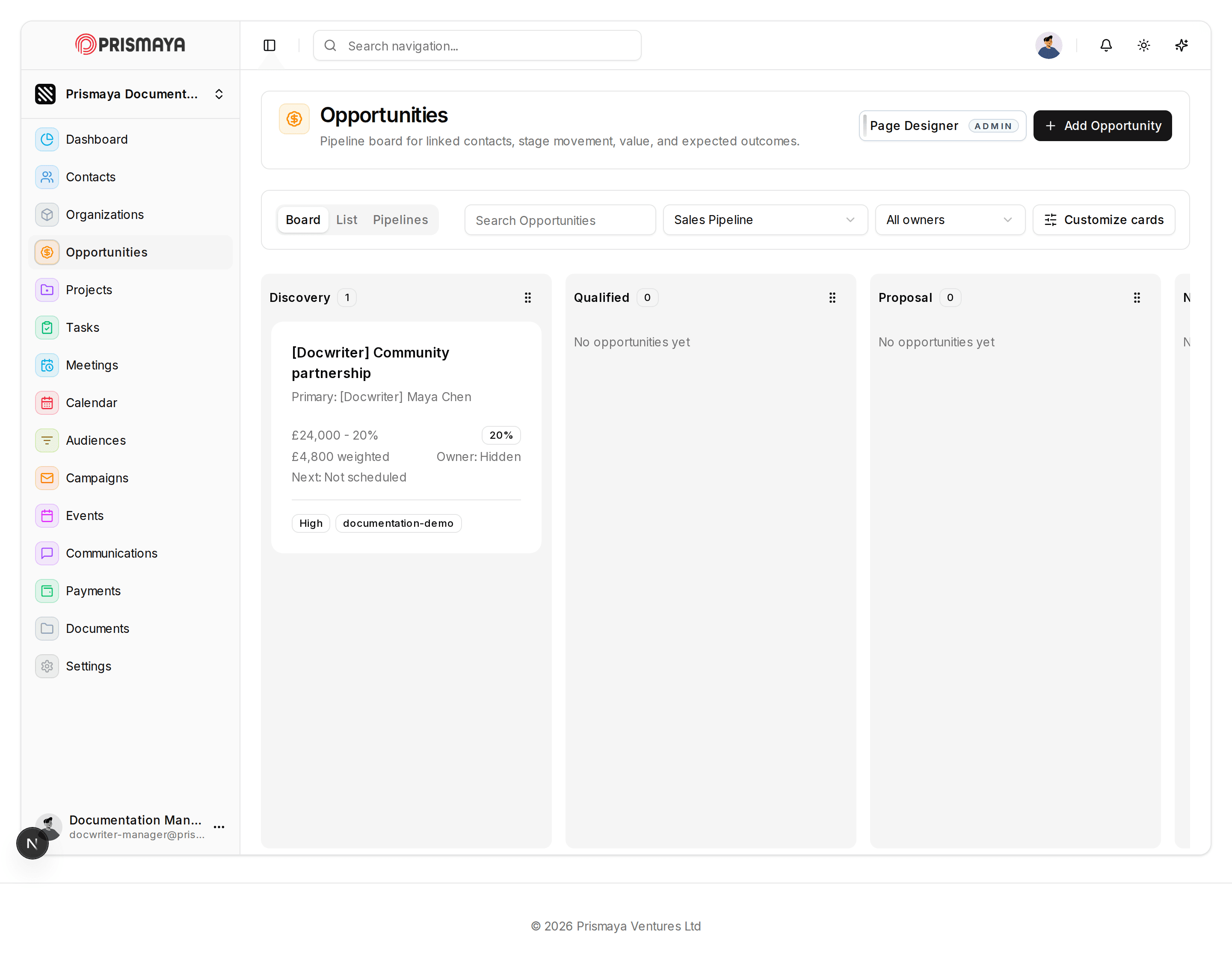
Board view and purpose
The Opportunities page presents a board-style layout that arranges opportunities into columns representing stages. In the observed state the Board tab is active. This board-style view is intended to give a compact, stage-oriented overview of opportunities and their key summary fields.
Visible controls and filters
Top-right controls include a Page Designer button (with an ADMIN badge) and a + Add Opportunity button.
View tabs labeled Board, List, and Pipelines are available; Board appears active.
A search field is present with the placeholder "Search Opportunities". Controls labeled "Sales Pipeline" and "All owners" are alongside a control labeled "Customize cards".
What opportunity cards contain
Opportunity cards display a compact set of summary fields. The card field labels include: Name, Pipeline, Stage, Value, Owner, Priority, and Tags.
Cards also include summary elements such as a Primary contact line, a monetary value paired with a percentage label, a weighted amount shown beneath the value, an Owner label, a Next-action indicator, and small badges or tags for priority or custom labels.
The other Details fields are not marked as required.
Pipeline and Stage — how they relate
Pipeline denotes the pipeline context relevant to opportunities. Stage denotes an opportunity’s current position within that Pipeline and is represented by the column that contains the opportunity card.
Observed board state
The observed board shows three stage columns titled Discovery, Qualified, and Proposal.
The Discovery column contains one opportunity card; the Qualified and Proposal columns display the text "No opportunities yet".