Create an opportunity
Create an opportunity and connect its pipeline, stage, value, owner, forecast, and contact context.
Key guidance
A linked primary Contact is required before saving.
The other Details fields are not marked as required.
Pipeline selects which pipeline the opportunity belongs to (for example, Sales Pipeline); Stage selects the opportunity's current position within that pipeline.
The Associations tab is available.
Procedure
-
Open the Create Opportunity modal
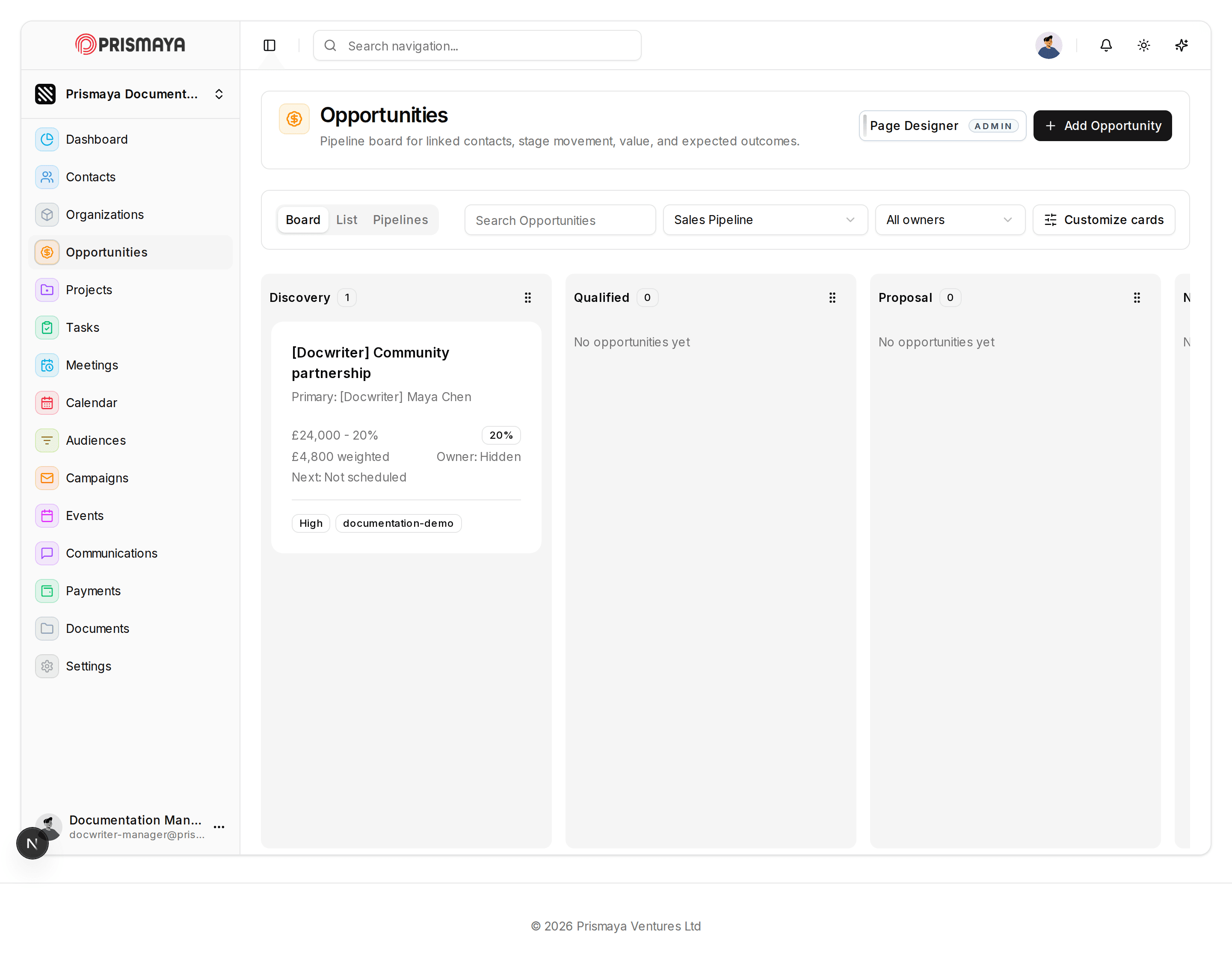
On the Opportunities page, click Add Opportunity to open the Create Opportunity modal.
- The Opportunities page shows a pipeline-style board and an Add Opportunity button.
-
Fill the Details tab
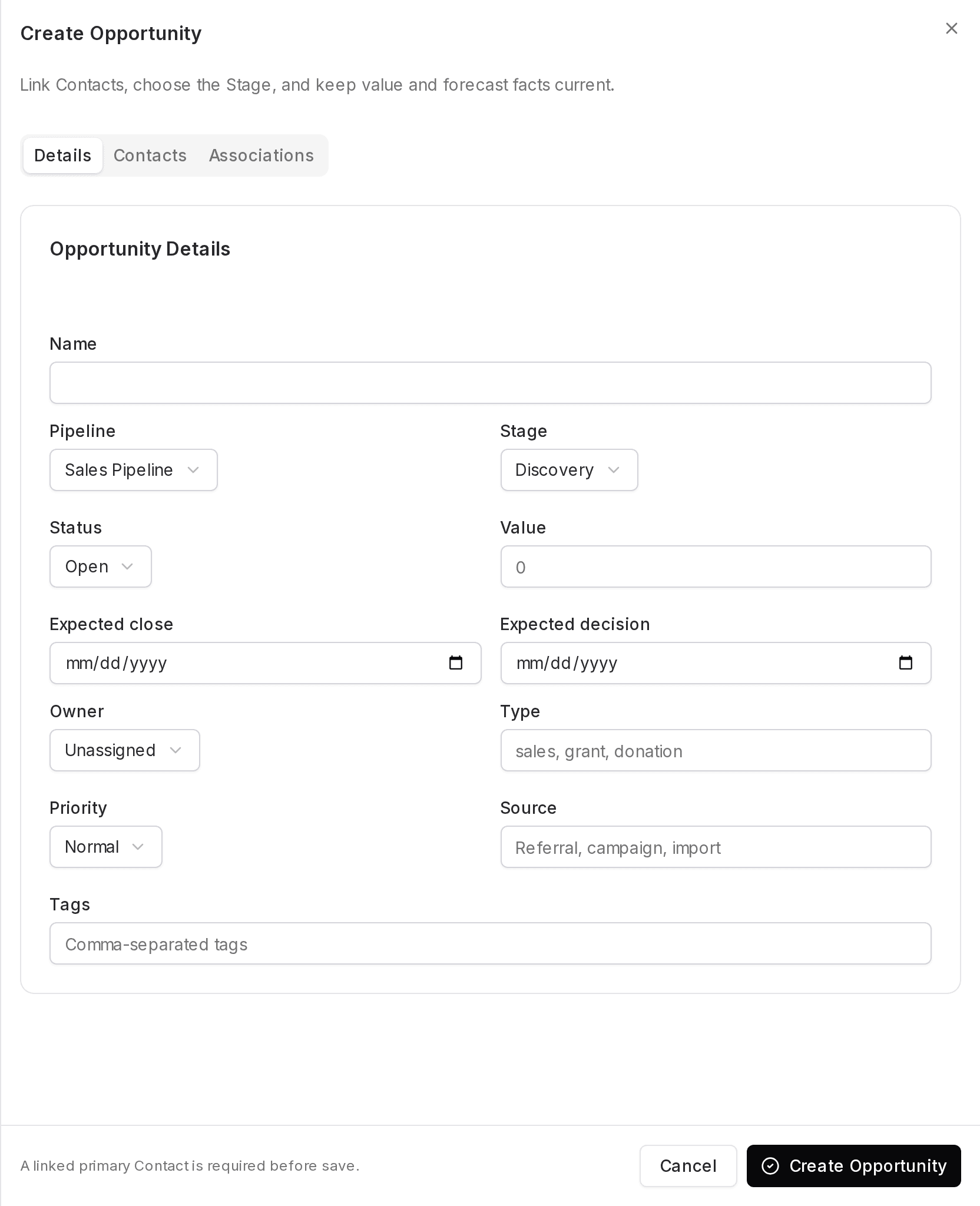
In the Create Opportunity modal, select the Details tab and enter the opportunity fields in the form.
- The Expected close and Expected decision fields show a mm/dd/yyyy placeholder and include a calendar icon.
- The Value field shows 0 as its current value. Owner and Priority show selections such as Unassigned and Normal.
- Fields in this form: Name, Pipeline, Stage, Status, Value, Expected close, Expected decision, Owner, Type, Priority, Source and Tags.
-
Link Contacts and set a primary
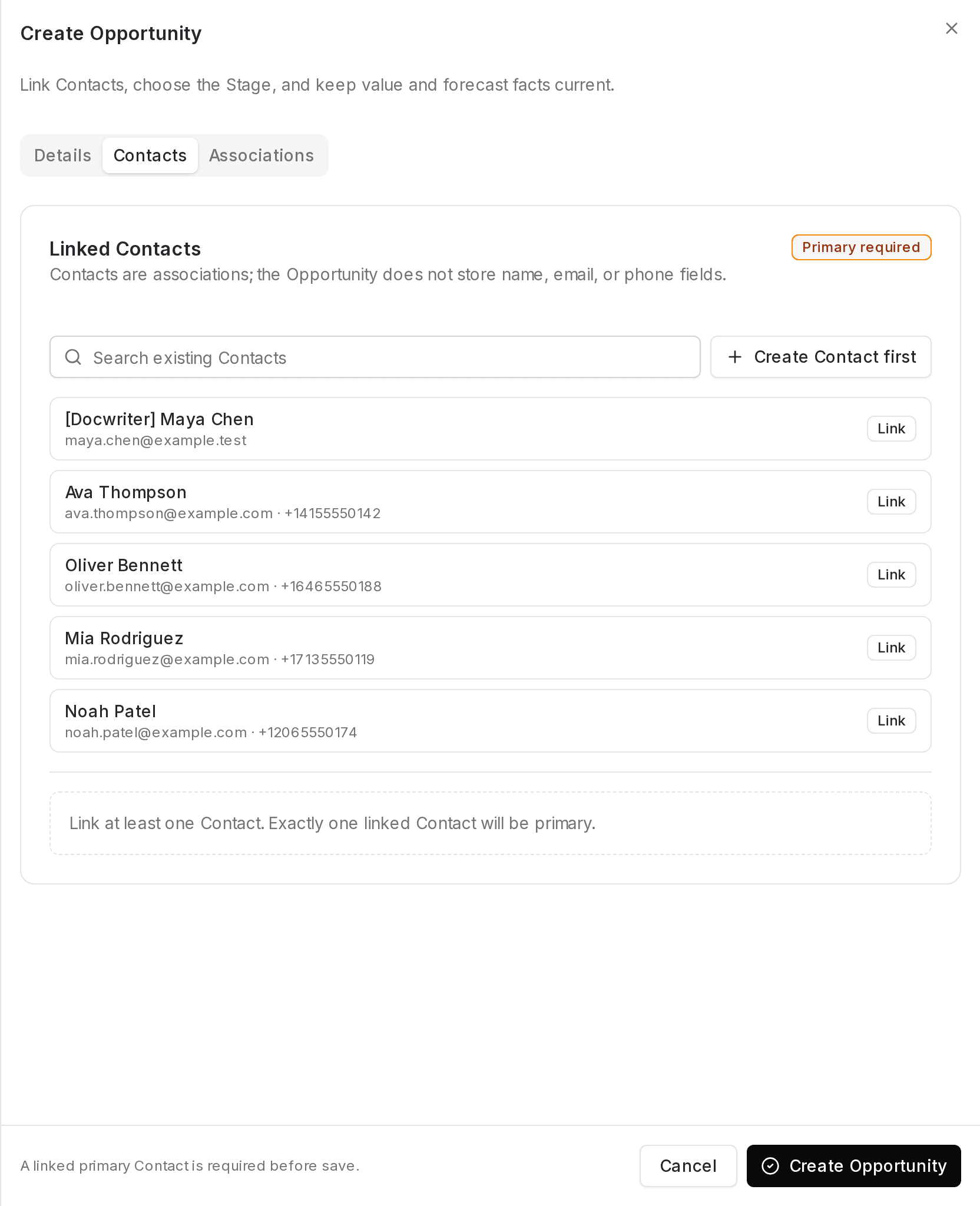
Switch to the Contacts tab, find an existing Contact using the Search existing Contacts field or create one first, then link a Contact to the opportunity.
- Use the Search existing Contacts field to locate a contact, then click the Link button on the contact's row to associate that contact with the opportunity.
- If you need to add a contact before linking, use the Create Contact first control.
- A Primary required badge is shown in the Contacts tab. Helper text states: 'Link at least one Contact. Exactly one linked Contact will be primary.'
- Contacts are linked as associations; the opportunity does not store contact name, email, or phone fields.
-
Create or cancel the opportunity
When the Details fields are filled and a primary Contact is linked, use the modal actions to finish.
- To create the opportunity, click Create Opportunity in the modal footer.
- To abort without creating an opportunity, click Cancel in the modal footer.